Decision Board
Turn metrics into prioritized decisions
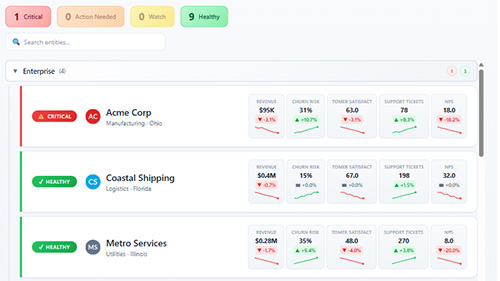
Decision Board helps teams prioritize what needs attention—without scanning charts or interpreting multiple visuals. Use an authoritative state from your semantic model or configure transparent rules for one to seven signals. Every evaluated outcome remains deterministic and explainable.
Why Decision Board?
Decision-first triage
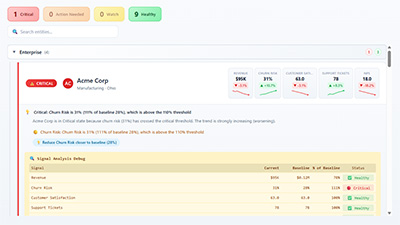
Instantly see which entities are Critical, need action, or are safe—so reviews focus on what matters, not on finding problems.
Two deterministic modes
Present an authoritative Bound State from your model or calculate state with current values, targets, previous periods, or rolling averages.
Explainable outcomes
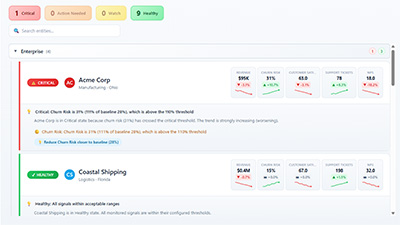
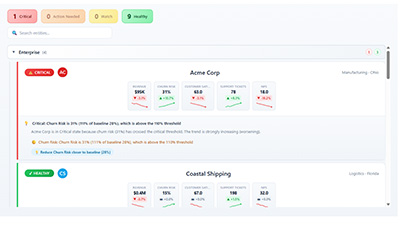
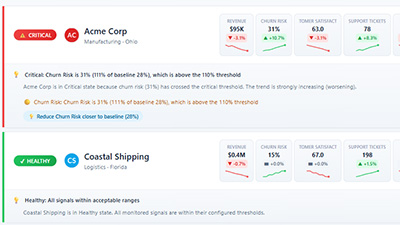
Every state can include clear explanations showing the triggered signal, baseline comparison, and threshold—plus an optional debug view for full transparency.
Choose who owns the state
Both modes are deterministic. The difference is whether your semantic model supplies the decision or Decision Board calculates it from author-configured rules.
Bound State
Bind the current State produced by your model. Add Previous State, State Reason, Signals, Targets, and Impact when available.
Calculated Rules
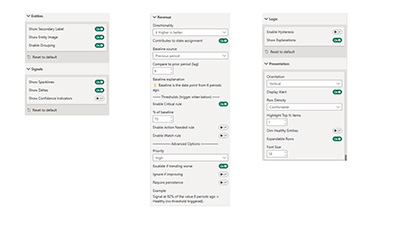
Leave State empty, bind Signal measures, and configure the thresholds that should produce Critical, Action Needed, Watch, or Healthy.
Who Decision Board is for
Operations and leadership teams
Weekly and monthly reviews where the goal is to focus attention fast: customer health, portfolio status, risk queues, exceptions, and operational follow-ups.
Analytics teams supporting decision-makers
BI teams who need consistent, explainable rules instead of opaque scores—plus a presentation that fits naturally into executive dashboards.
Organizations monitoring many entities
Customers, accounts, products, locations, departments, vendors—any scenario where relative change matters more than absolute size.
Teams that require transparency and trust
Deterministic evaluation, clear explanations, and optional debug transparency for validation and auditability—no black boxes.
Screenshots
Support
Follow the setup guide or contact our team for help with your semantic model and visual configuration.
Pricing
Decision Board is licensed per user on Microsoft Marketplace (ideal for executive and operational teams), with a free trial available. For environments where Microsoft Marketplace licenses are not supported (including Publish to Web and embedded), CloudScope licenses are available.
Microsoft Marketplace Licenses
Microsoft Marketplace pricing is per user and supports monthly or annual terms. View plans and pricing on Microsoft Marketplace.
CloudScope Licenses
CloudScope licenses support environments where Microsoft Marketplace licenses are not supported, including Publish to Web and embedded. CloudScope licenses are designed for organization-wide use in these scenarios.